1
Connect storage without keys
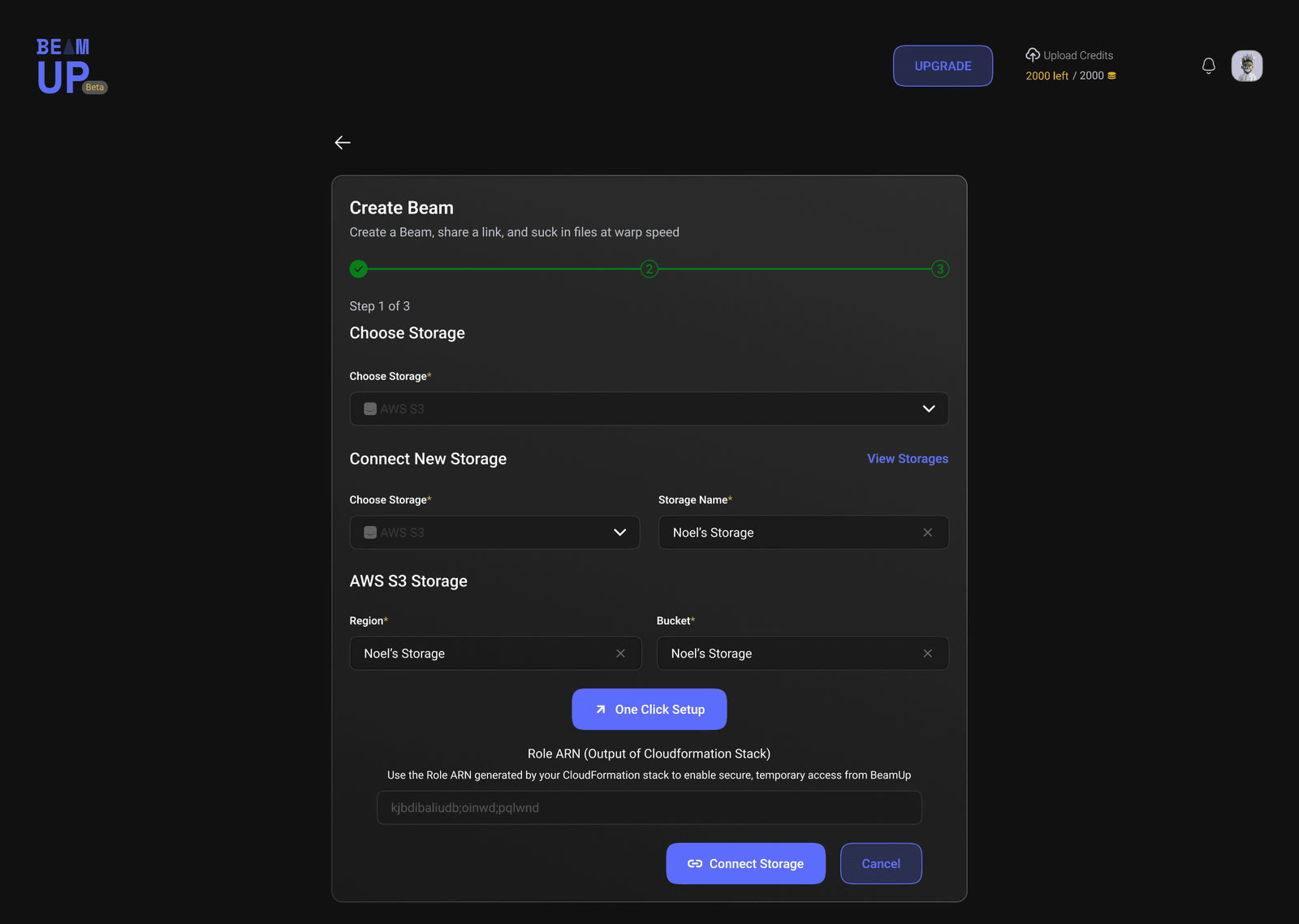
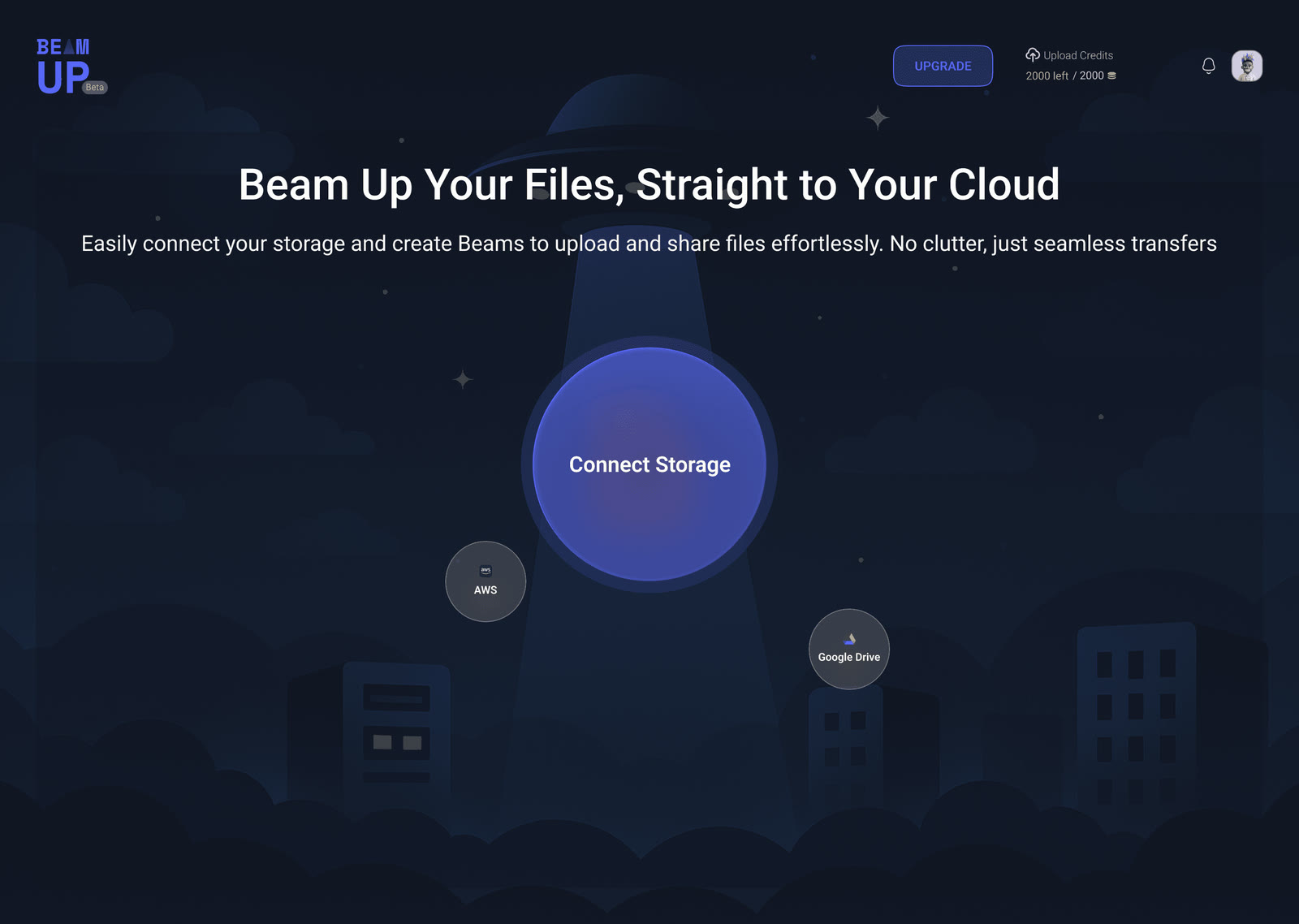
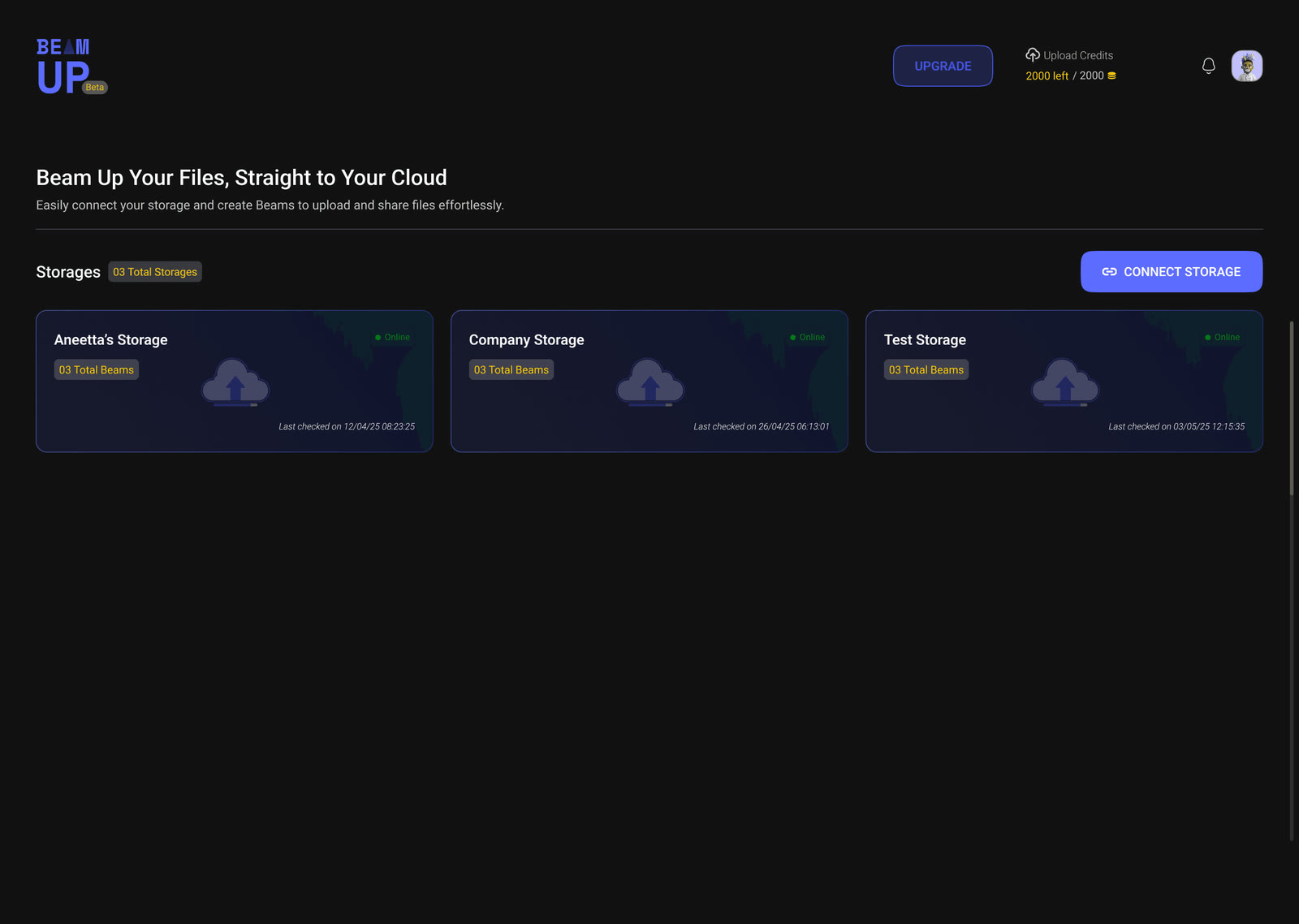
A guided flow sets up a cross-account role, so nobody pastes or rotates secret keys. The scariest step in the product became a short checklist.
 BeamUp
Overview
Upload links that drop big files straight into your own cloud.
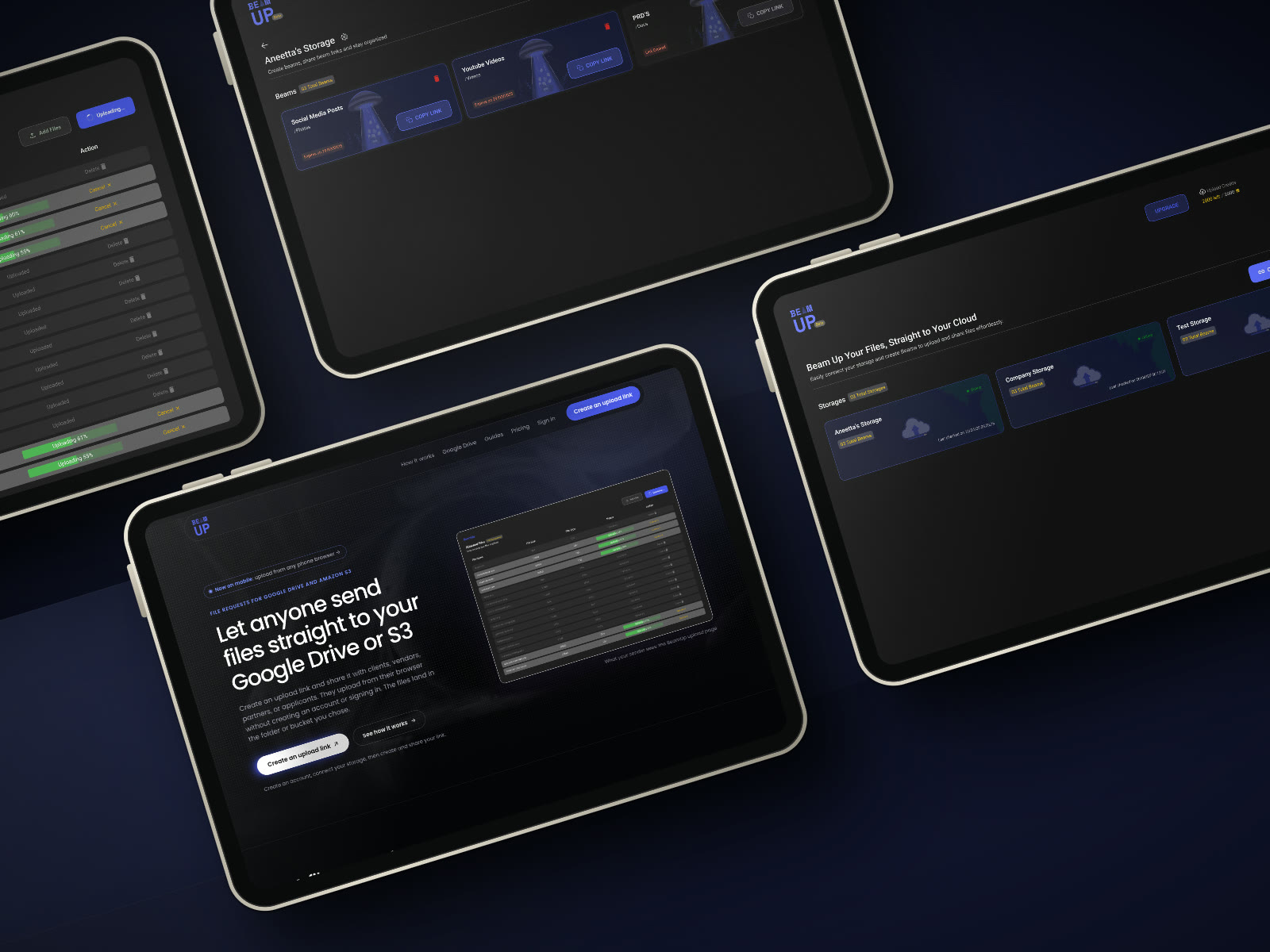
BeamUp lets a team create an upload link in a couple of minutes, so clients, vendors or applicants can send big files straight into the team's own cloud storage. I designed it end to end, from paper sketches to the live product. Version one went live in about a month.
Teams keep needing big files from people outside the company: logs, videos, builds, documents. There are three usual ways to get them, and each one breaks.
Bounces anything large.
Expire, and the file lands in someone's inbox, not the team's storage.
Needs servers, secret keys and someone to keep it running.
None of them scale, some aren't secure, and all of them waste time for both the sender and the team.
Clients, vendors and applicants. They have never heard of BeamUp and will not sign up for anything. They just want the upload to work.
Product and tech teams who already keep files in S3 or Google Drive and want uploads to land there, organised.
The person uploading should never need an account. The person receiving should never need to touch a server.
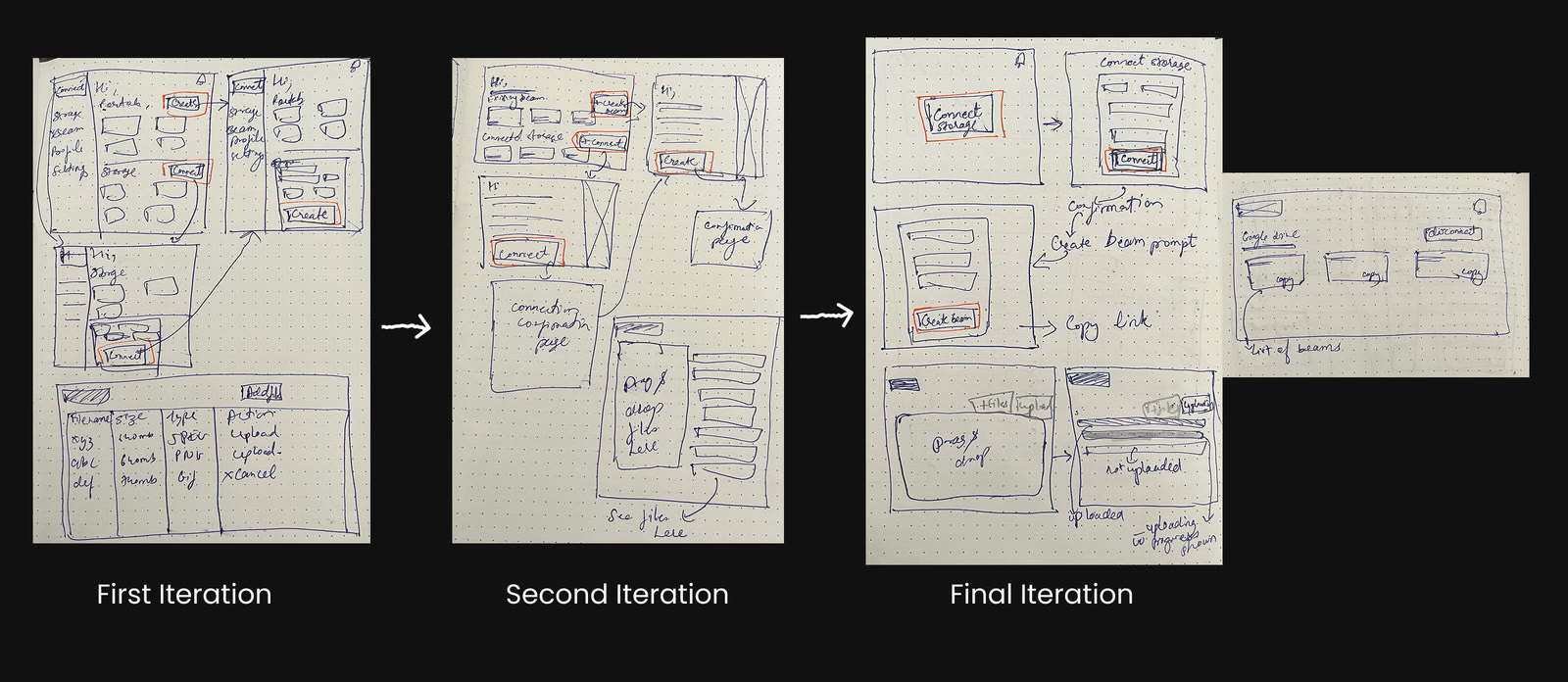
I started on paper. Three rounds of sketches cut the flow down until creating a portal fit in three steps, then I mapped the whole journey before any screen was designed.
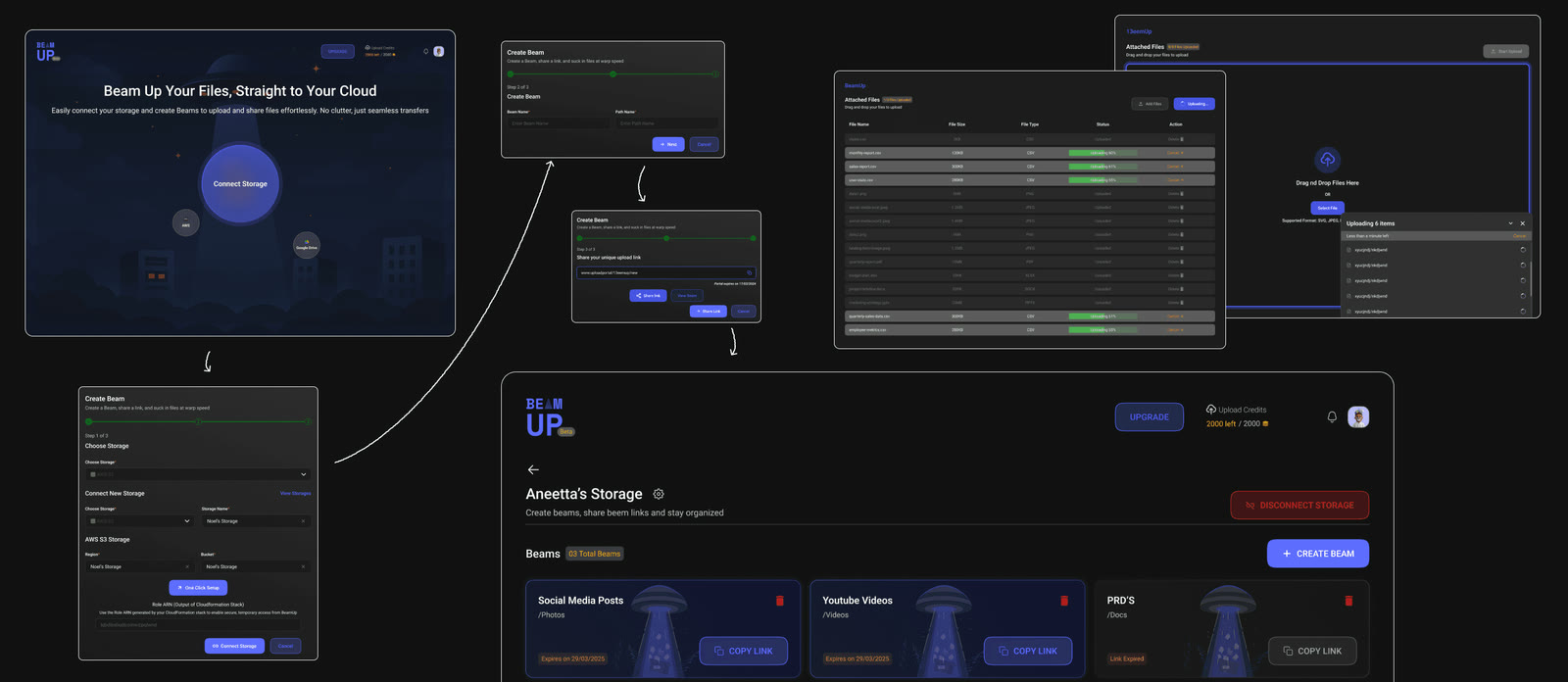
A guided flow sets up a cross-account role, so nobody pastes or rotates secret keys. The scariest step in the product became a short checklist.
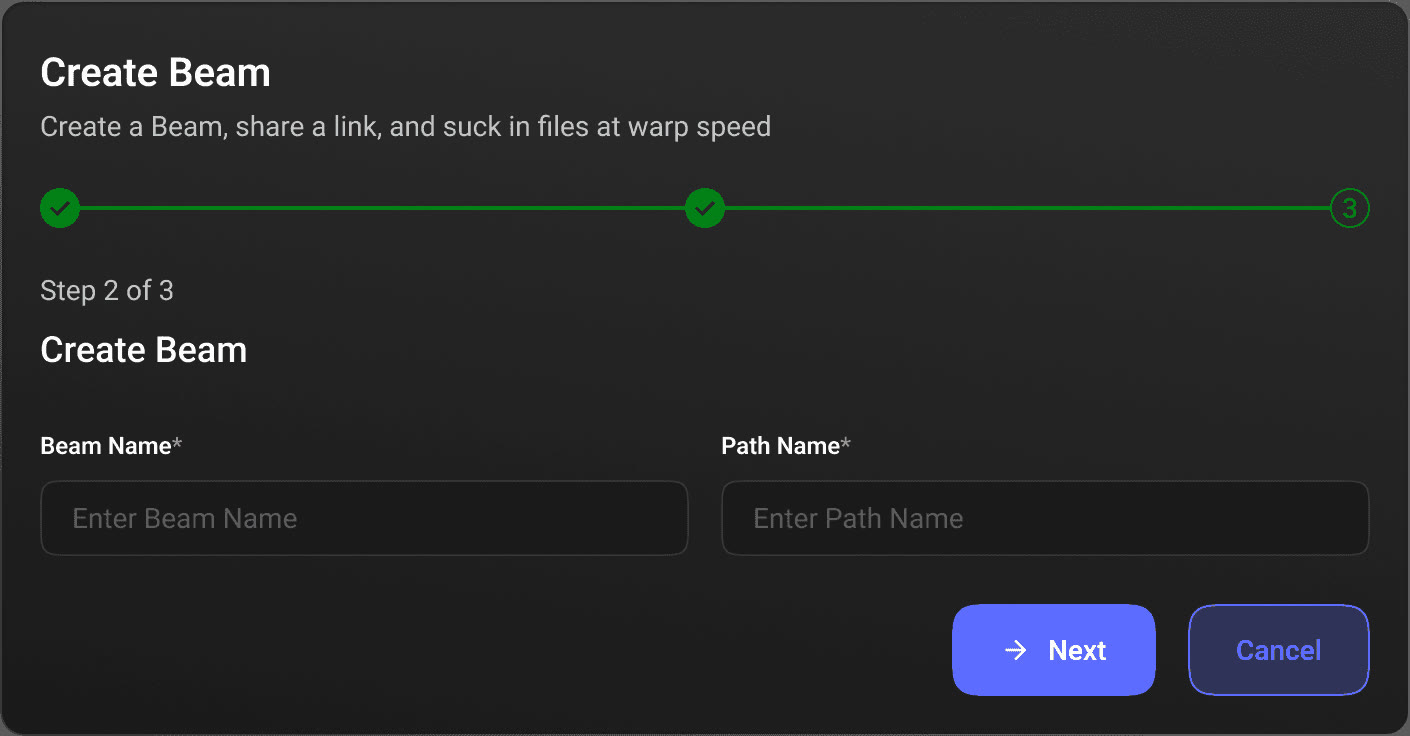
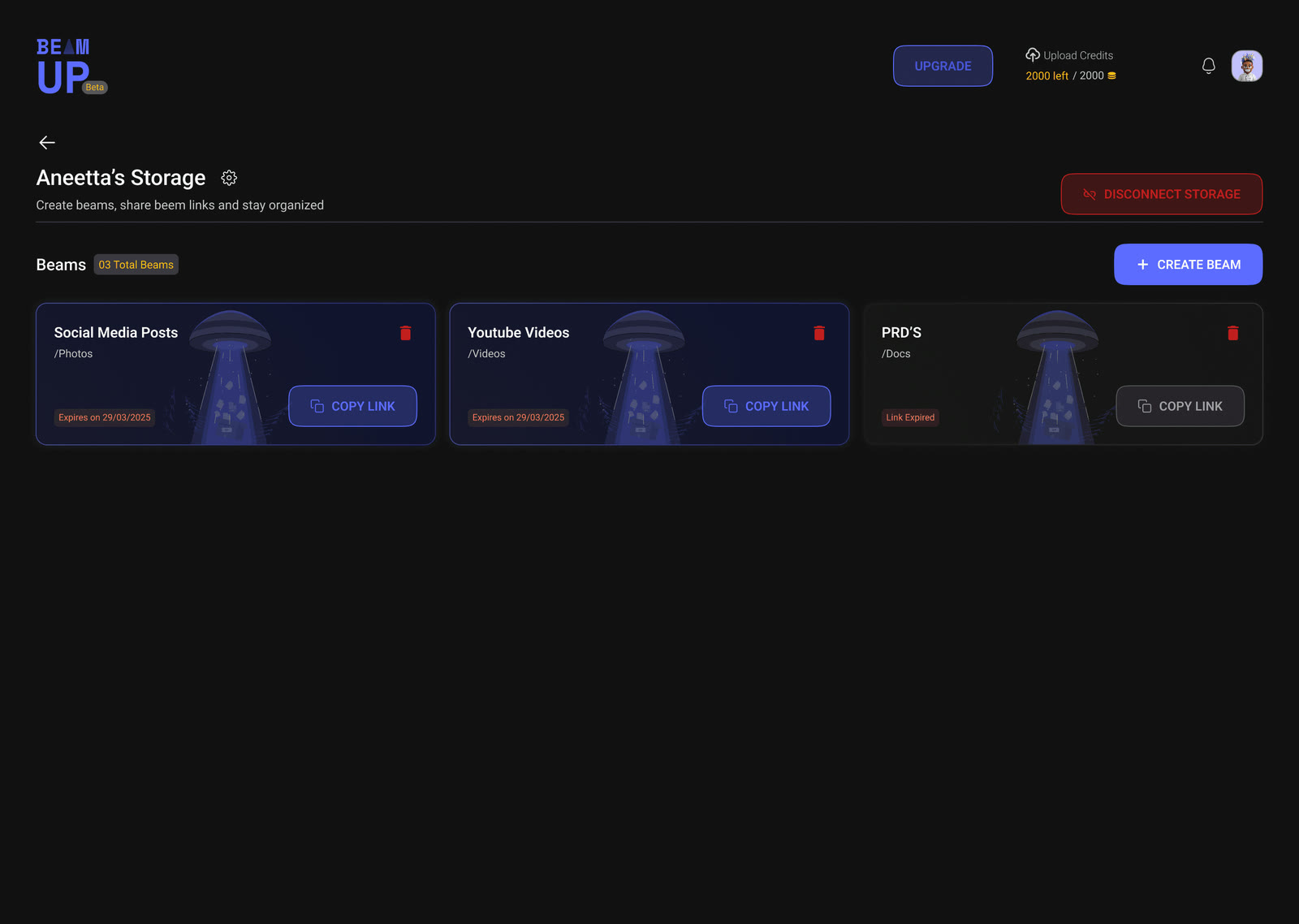
A Beam is a named upload portal that points at a folder. Name it, pick where files go, done. No settings screen stands between you and the first upload.
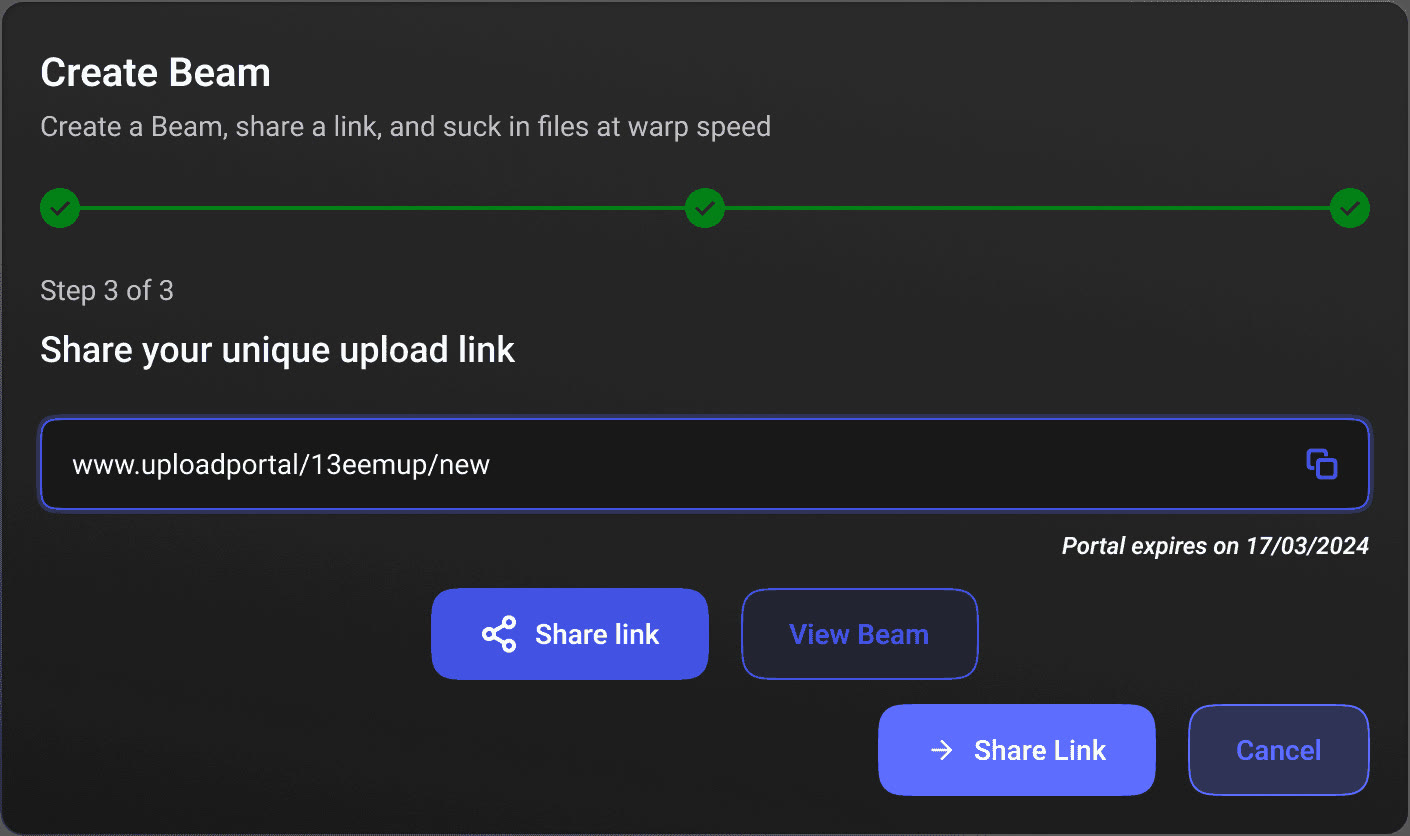
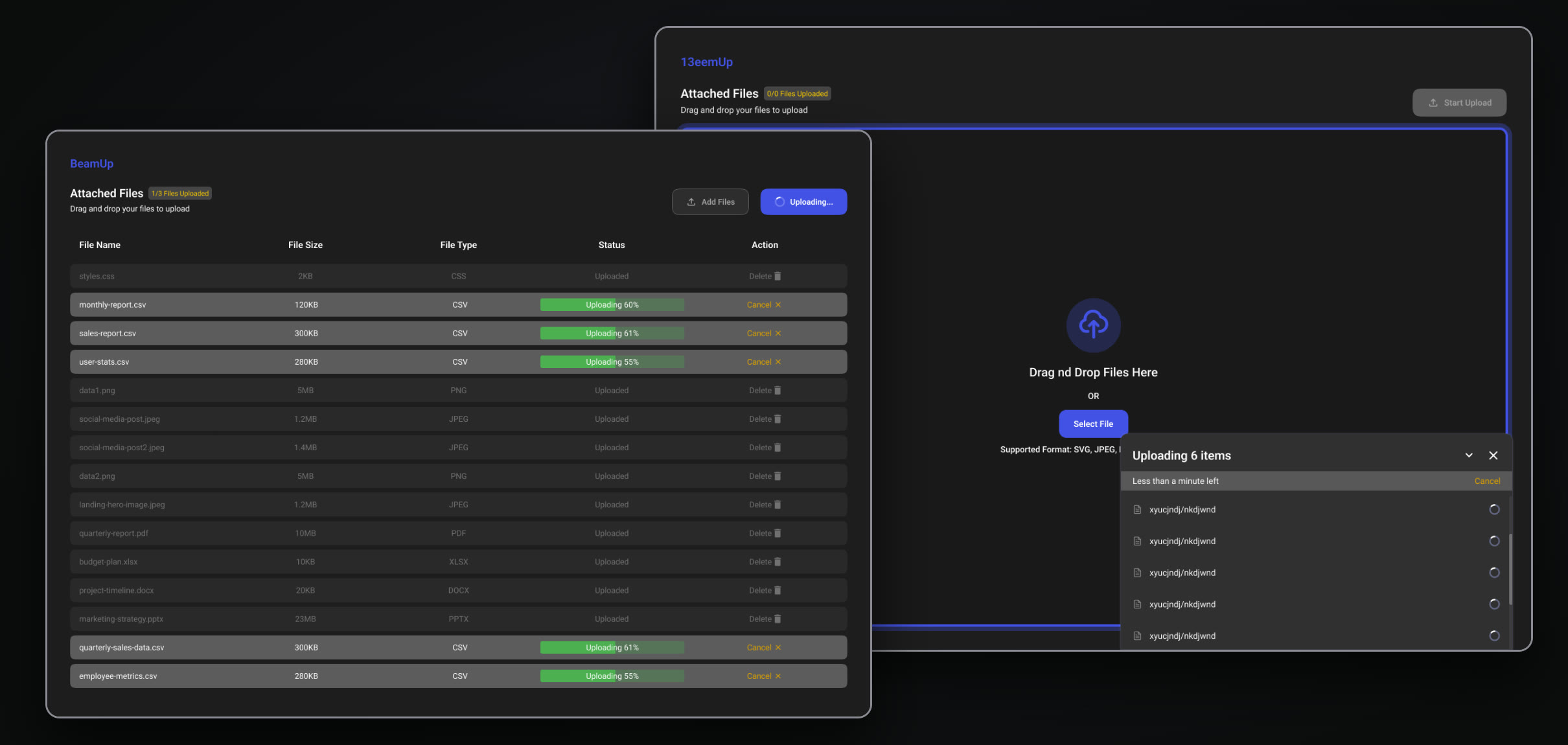
Step three is a single link with a clear expiry date. The sender gets a drop zone in their browser: no sign-up, no app, no explanation of what BeamUp is.
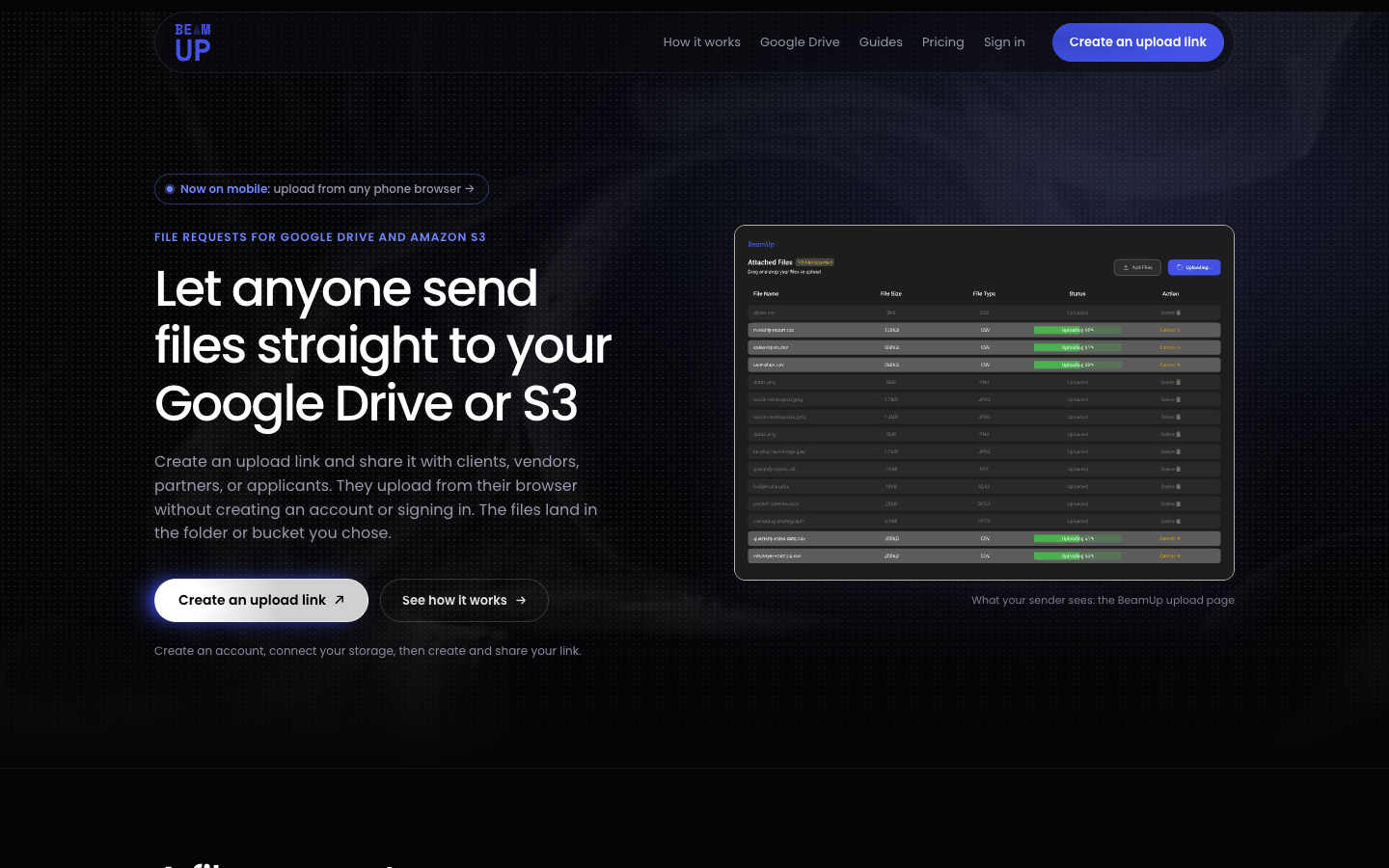
This is all the sender sees: a drop zone, then a live list of their files with progress, cancel and delete on each one. Big batches keep going in the background, so nobody has to babysit a progress bar.

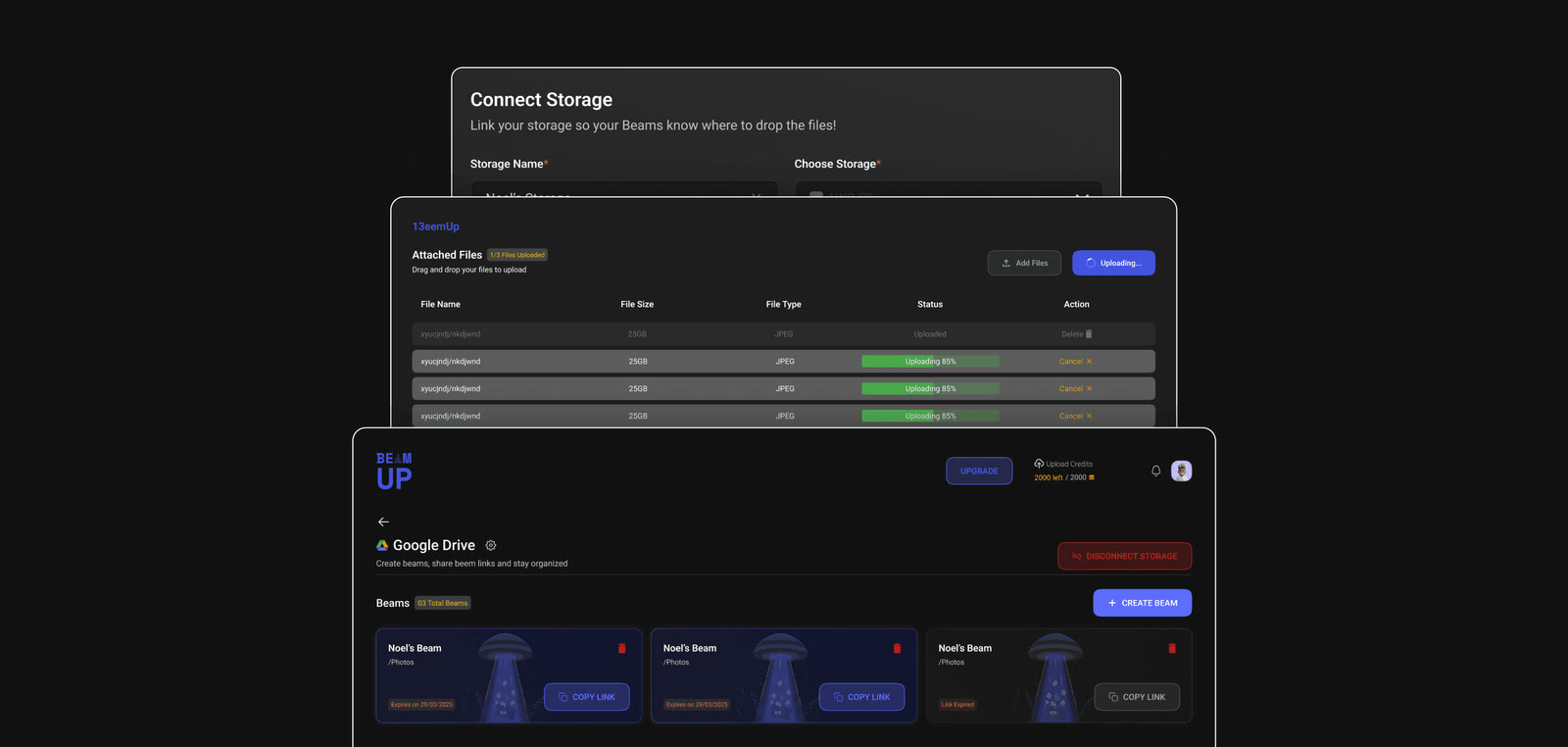
BeamUp went from first sketch to a live product in about a month, and was #1 Product of the Week for User Experience on Product Hunt. It has since grown: files can go to Google Drive as well as S3, and uploads work from any phone browser.
Clear specs plus a constant back-and-forth during the build beat a perfect file thrown over the wall.
Secure, five-minute file sharing was the product. Everything else waited.
Understanding roles and upload flows let me design steps that were simple and still honest about security.