1
Collect mode: one click per image
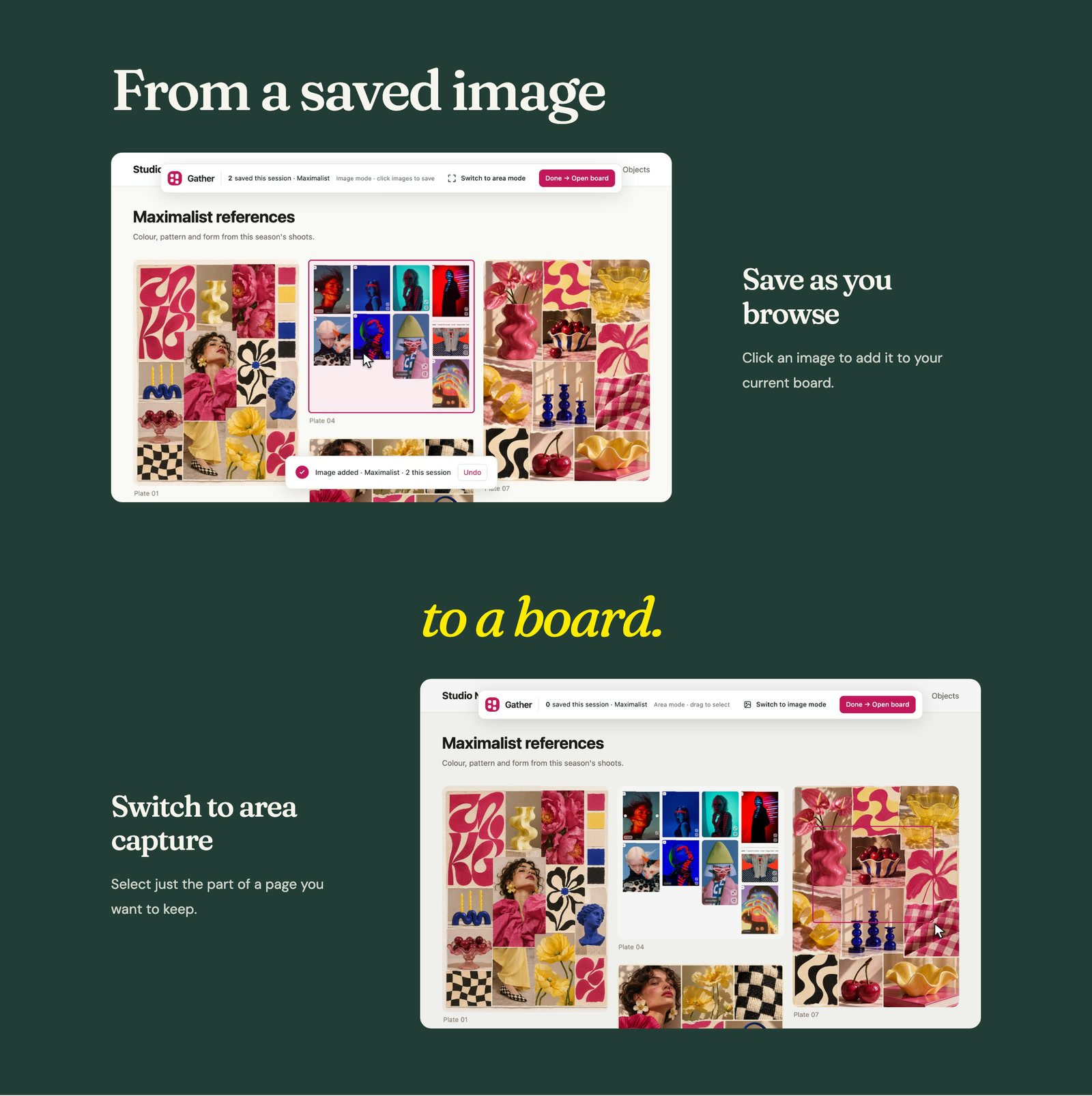
Turn on Collect mode and every image on the page becomes a save button. A small toolbar shows the board you're saving to and how many you've saved this session. Outside Collect mode the site works as normal.
 Gather
Overview
A mood board that fills itself while you browse, then lands in Figma as layers.
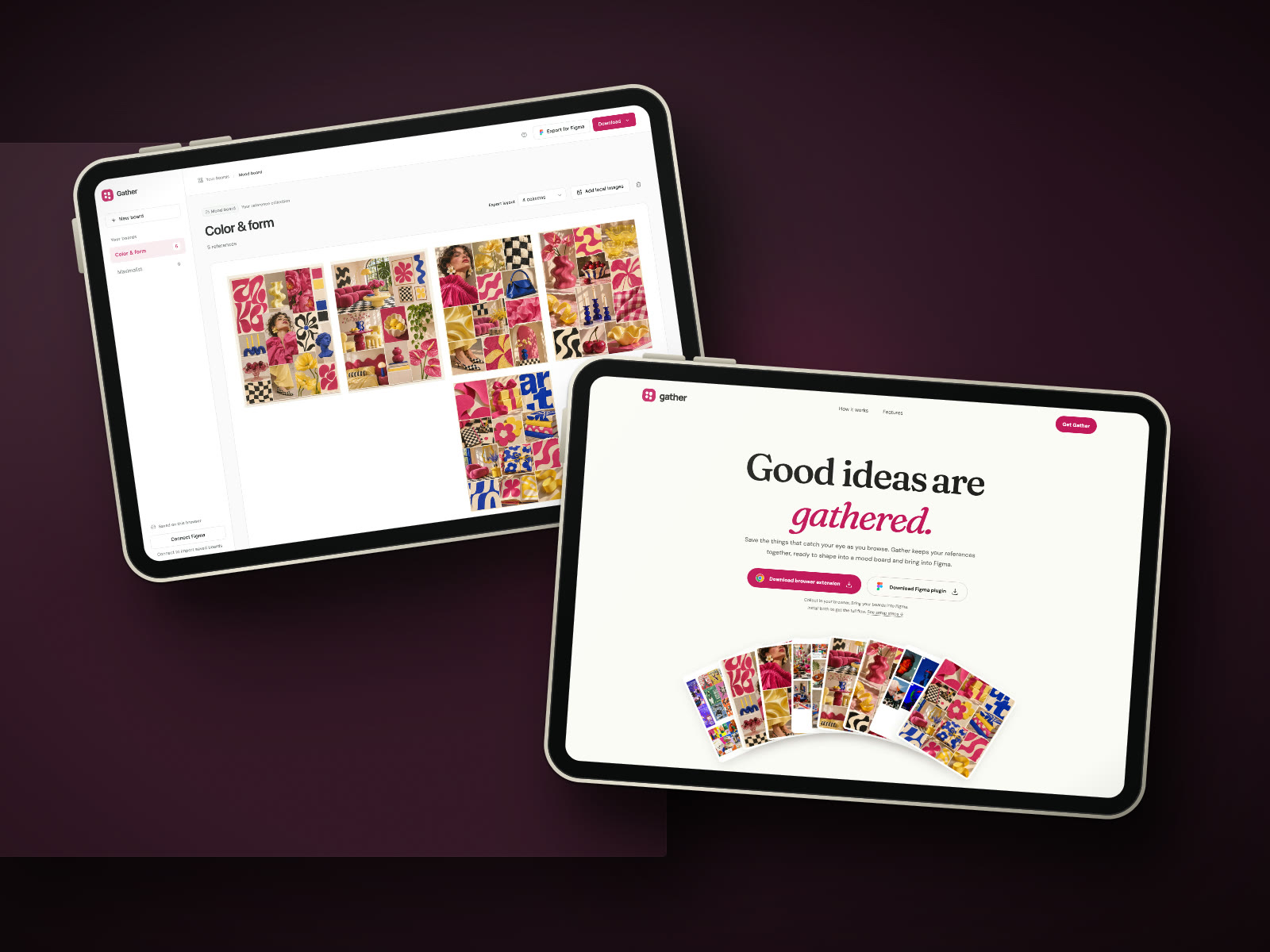
Gather is a browser extension and a Figma plugin that work as a pair. You click the images that catch your eye on any site, Gather arranges them into a board, and the board drops into Figma as separate image layers you can move and resize. I designed and built all of it: the capture flow, the board, the Figma importer, the brand and the landing page.
A mood board usually starts as a mess: screenshots on the desktop, twenty open tabs, a Pinterest board, a few bookmarks.
Then comes the dull part. Drag each image into Figma, resize it, line it up, and hope you remember where it came from.
By the time the board looks like something, the spark that started it is long gone.
Brand, product, interior and fashion designers who build a mood board at the start of every project.
Saving that doesn't break the browsing flow, a board that's already arranged, and images they can still edit in Figma. Their references should stay theirs, not go up to someone's server.
A mood board starts the moment you see something, not the moment you open Figma.
I designed and built Gather over about a week. These are the pieces that mattered most, in the order I made them.
Pick a board, click what you like, press Done. Everything else had to fit around that loop without slowing it down.
Collect mode for clicking images, a right-click menu, a keyboard shortcut and area capture for things that aren't images, like a UI detail or a background.
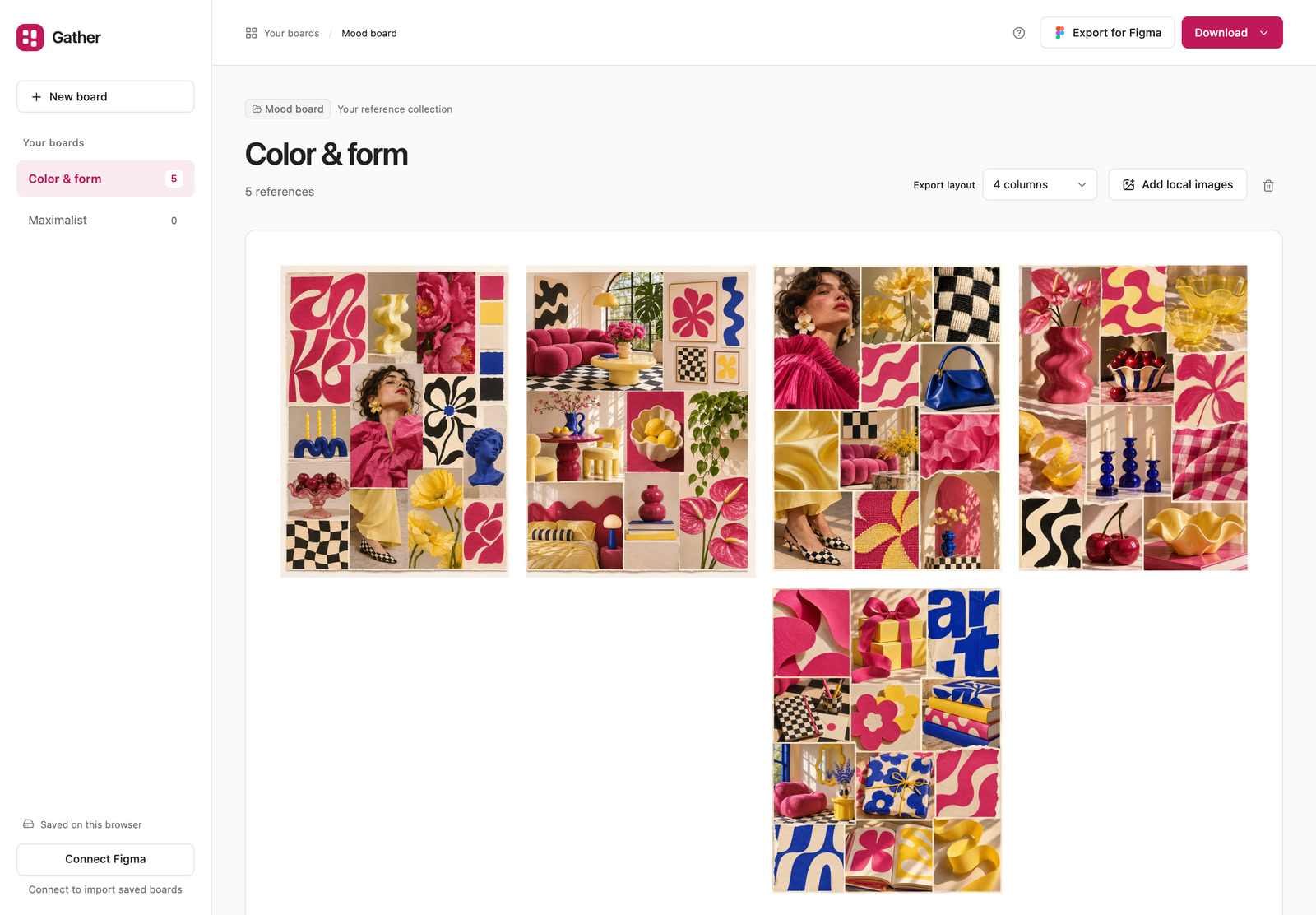
An automatic masonry layout of 3 to 5 columns that keeps every image's shape. It downloads as a PNG, a PDF or a ZIP with every image inside.
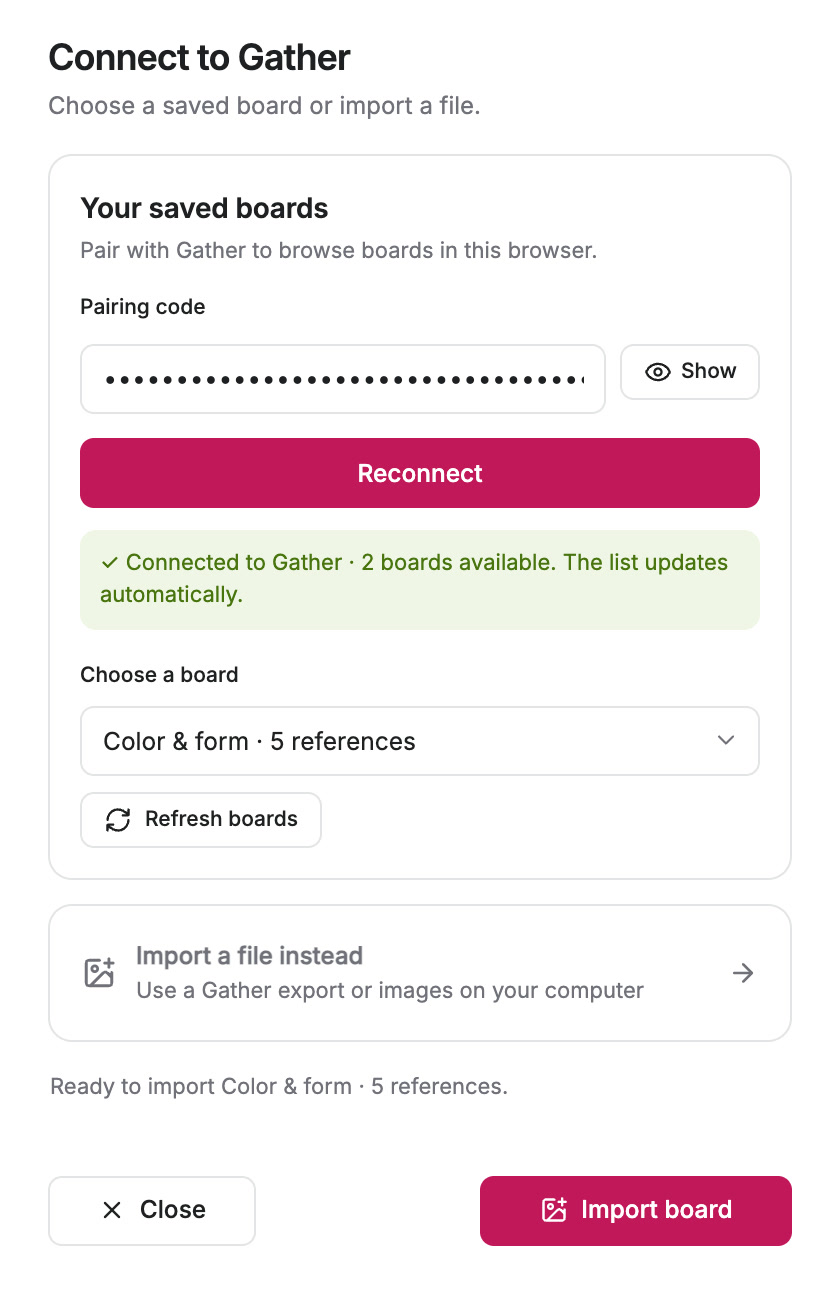
A plugin that rebuilds the board as one frame of separate image layers, in the same layout as the browser. A pairing code lets you pick a saved board straight from Figma.
A berry pink and yellow brand, a logo made of four rounded blocks, a little confetti on every save, and a landing page that scrolls from a saved image to a board.
Turn on Collect mode and every image on the page becomes a save button. A small toolbar shows the board you're saving to and how many you've saved this session. Outside Collect mode the site works as normal.
Some sites block the original image. Gather then saves what's visible on screen and the confirmation says "visible area saved", instead of pretending. Every save has an Undo right there.
There's no canvas to fiddle with in the browser. Pick 3, 4 or 5 columns and the board lays itself out, keeping each image's shape. The real arranging happens in Figma.
A flat screenshot of a board is a dead end. The plugin brings every reference in as its own image layer, so you can keep cropping, moving and building on it.
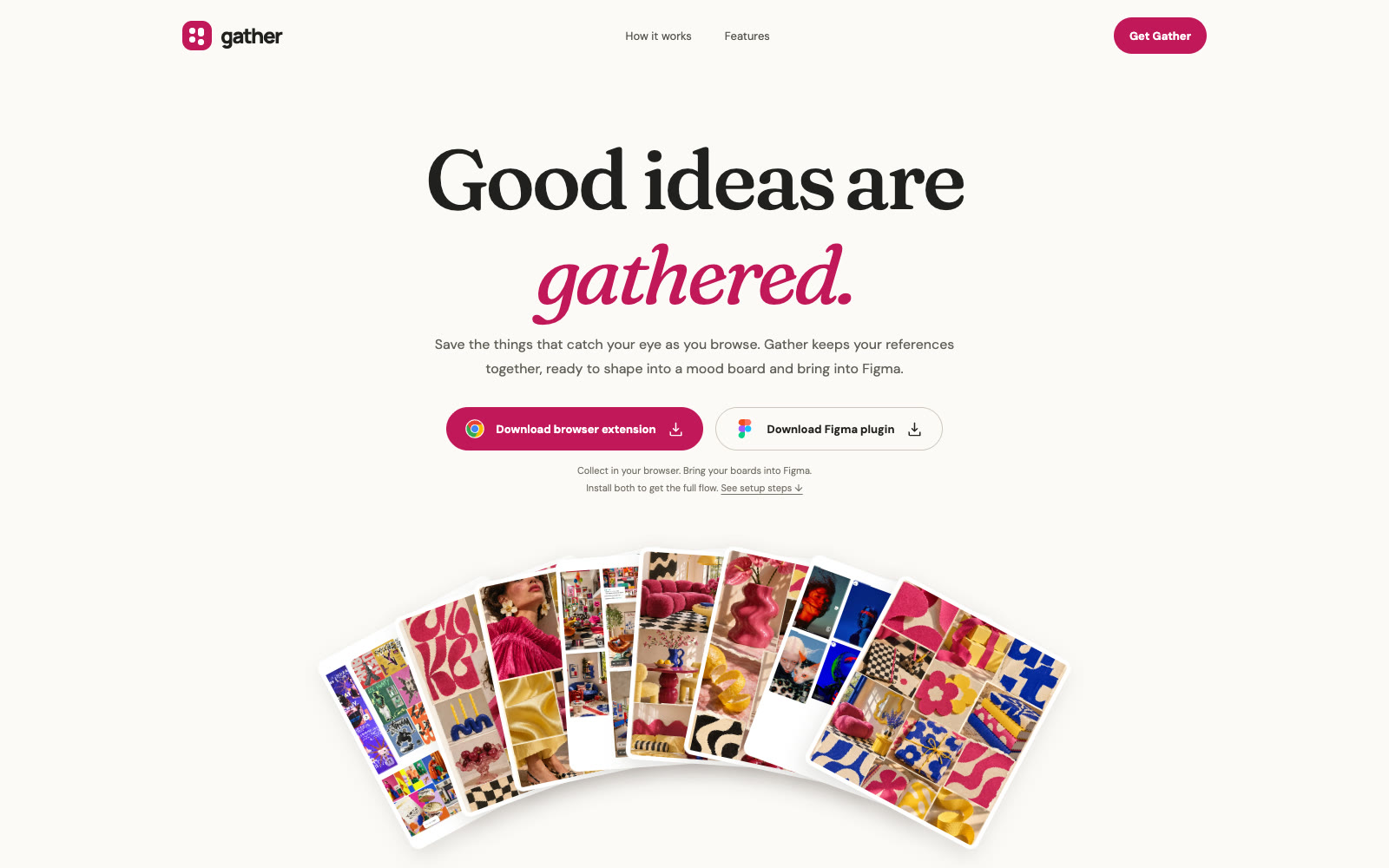
Gather is a free beta. You download the browser extension and the Figma plugin from its landing page and install both by hand while it waits for the stores. Boards stay in your browser, and saving or downloading never needs an account.
Next on the list: colour palettes from a board, tags and notes, and shared team boards as a paid option.
Once pick, click, done felt quick, every other feature had a clear rule: don't slow the loop down.
"Visible area saved" is less impressive than a silent success, but people trust the board more.
Designers finish in Figma, so Gather hands over layers they can keep working on, not a picture of a board.